


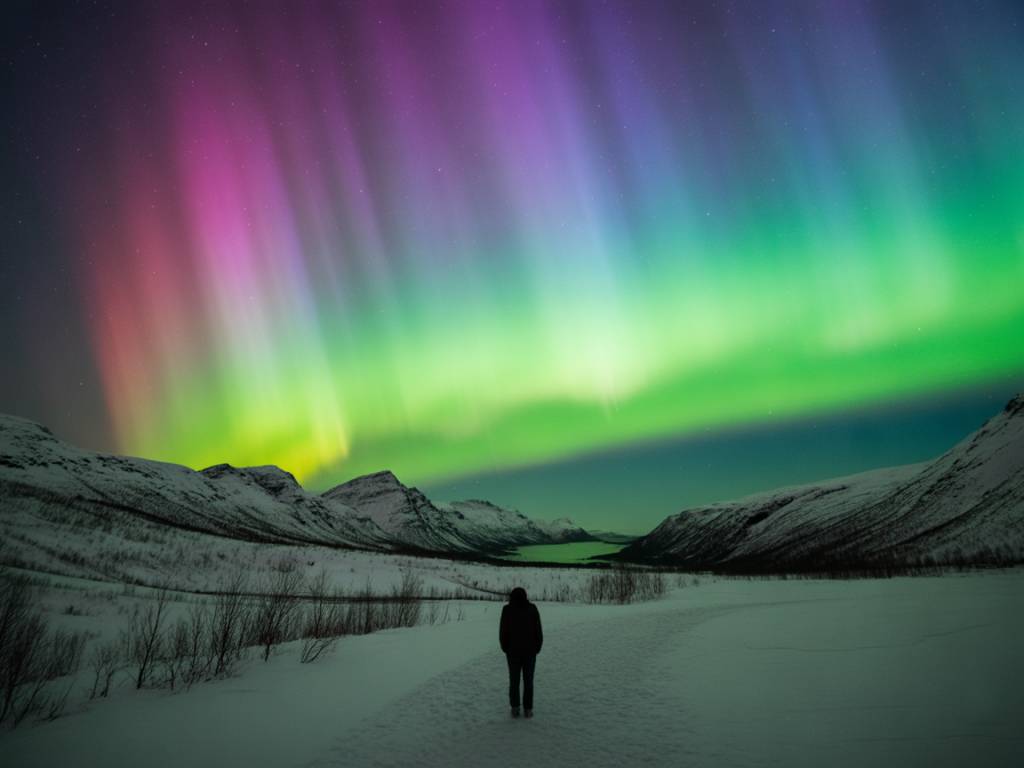
If you’ve ever sat in a rental car in Tromsø or Fairbanks, phone in hand, jumping between five different aurora apps and three cloud maps, you know the problem: there is too much information and not enough clear answers.
Which app can you actually trust tonight? Which one will tell you if it’s worth putting boots back on after midnight, or if you should just finish your beer and go to bed?
In this article I’m not going to list every aurora app in the store. I’ll focus on the tools that I really see helping travelers plan and verify a northern lights chase, night after night, in real conditions: bad roads, changing clouds, limited time, and sometimes slow hotel Wi-Fi.
What you really need from an aurora app (and what you don’t)
Before talking about names and logos, it’s useful to define the job we want these apps to do. On a typical evening in the North, you need to answer three simple questions:
Everything else – fancy graphics, social feeds, unrealistic “100% chance” indicators – is mostly noise.
In practice, the most useful apps fall into three categories:
Let’s look at each group, with concrete pros and cons from a traveler’s point of view.
Aurora-specific apps that help you decide if tonight is worth it
These are the apps most people start with. They show KP, some kind of “chance” bar, and often send push notifications. For quick planning, they’re useful – as long as you understand what they can and cannot promise.
My Aurora Forecast & Alerts
This is one of the most popular apps for a reason: it’s simple, available on iOS and Android, and doesn’t require you to be a space physicist.
What it does well:
Where it can mislead you:
How I use it in the field:
Early evening, I open My Aurora Forecast as a quick filter: if it says 0–10% chance and KP is expected to stay 0–1 with quiet solar wind, I mentally move the night into the “low expectations” category. If it shows 20–40% and above with some activity coming, I keep my options open. But I never decide “stay / go” based on the percentage alone; I always pair it with a dedicated cloud app and a raw data source.
Aurora Forecast (Ternava) & similar apps
There are a few apps simply called “Aurora Forecast” that behave similarly: a KP bar, green/red indicators, and a world map of the auroral oval.
Useful features:
Limitations:
Best usage: I use this kind of app as a “second opinion” on mid-range forecasts (9–24 hours). If multiple tools agree on elevated KP for the night, I start planning a longer drive or a later bedtime. But once we’re approaching the real action (1–2 hours before), I switch to live data sources.
Aurora alert apps: useful or just noise?
Push alerts sound perfect: “your phone will wake you when the aurora appears.” In practice, they are a mixed bag.
Many alert apps (Aurora Alerts, AuroraNotifier, etc.) send notifications when KP is predicted to cross a certain threshold or when some internal “chance” formula spikes.
Pros:
Cons:
Practical advice: Use alerts as a backup, not as your primary plan. Set them slightly conservatively (e.g. KP 3–4 for Tromsø, 4–5 for Reykjavik, 6+ for Scotland) and view them as a nudge to check more reliable data, not as a direct “go outside now” order.
Cloud and weather apps: the tools that actually save your night
Most disappointments on aurora trips are not caused by “no activity.” They’re caused by clouds in the wrong valley at the wrong time.
If you ask me which category of app has saved me the most gas money and sleep on aurora chases, it’s not the KP tools. It’s the high-resolution cloud and wind apps.
Windy
Windy (windy.com) is not an aurora app. It’s a weather visualisation tool. But for planning where to drive, it’s one of my essential tools.
What makes it powerful for aurora hunters:
How I actually use it on a chase:
Let’s say I’m based in Tromsø. At 17:00 I open Windy, switch to “Low Clouds,” and run the time slider from 18:00 to 02:00. I’m looking for:
If Windy shows a stable clear window over the islands from 21:00 to 23:00, I’ll plan a short coastal drive and be ready on a chosen beach at 20:45. If instead it shows clearer skies 100 km inland after midnight, I decide early whether the late-night drive is worth it.
Yr.no and local meteorological apps
In Norway, Finland, Iceland and parts of Canada, local forecast services often beat generic global apps.
Yr.no (Norway/Iceland/Finland):
National services: Environment Canada, Icelandic Met Office, Met Norway, etc., usually have:
Tip: If your aurora app’s cloud map and the local met office strongly disagree, trust the local service, especially over complex terrain (fjords, mountains, inland plateaus).
Raw data tools: for when you really want to know what’s happening
The apps above translate data for you. Sometimes, especially on “borderline” nights, you want to look at the source yourself. You don’t need a degree to use these; you only need to know what to watch.
SpaceWeatherLive
SpaceWeatherLive (website and app) is a fantastic hub for real-time solar wind, Bz, and disturbance indexes.
Key panels to watch before you drive out:
How I translate this into decisions:
Example scenario around 20:00:
This combination tells me: “energy is flowing into the magnetosphere and it’s already sustained.” If my cloud apps show clear or partially clear skies, I’ll be outside early, even if the popular aurora app still shows only a “30% chance.”
In contrast, if KP is predicted to be high but current Bz is stuck at +5 to +10 nT (northward) for hours, I lower my expectations and might delay a long drive.
Combining apps in real life: how I plan a typical aurora night
Let me walk you through a realistic workflow that I use on trips, assuming I have a car and I’m staying in a mid-sized northern city (e.g. Tromsø, Rovaniemi, Yellowknife, Reykjavik).
Afternoon (15:00–17:00): broad planning
Early evening (19:00–21:00): go/no-go decision
On the road (21:00–01:00): micro-adjustments
Most importantly: once you’re under clear skies with a good northern view, stop refreshing your phone every 30 seconds. Your eyes and the real sky are now the best “app.”
Common mistakes when relying on aurora apps
I see the same patterns again and again with travelers who are new to northern lights hunting. Avoiding these can dramatically reduce your “stress weather.”
The minimal setup I recommend for aurora travelers
If you don’t want to build a full toolkit, here is a lean setup that covers most needs without drowning you in data.
Optional but helpful:
With that trio – a simple aurora app, a serious cloud app, and a raw data source – you can make 90% of the important decisions calmly, even if the forecast is messy.
In the end, the best aurora app is not the one with the brightest graphics. It’s the combination of tools that lets you answer three questions clearly, without drama: Is there enough solar energy? Where will the sky open? And given my time, safety and tiredness, where is my best real-world chance tonight?
Once you have those answers, the rest of the night belongs to the sky.